

With the introduction of Invoice Capture in Microsoft Dynamics 365 Finance, end-to-end automation of accounts payable in Dynamics 365 is now a reality. Previously, Dynamics 365 Finance has been limited to automating the accounts payable process only after the invoice is registered in the system, leaving a capabilities gap in respect to end-to-end accounts payable automation as organizations had to manually intake invoices or use a third-party solution. Dynamics 365 Finance Invoice Capture leverages through Microsoft’s Power Platform and artificial intelligence (AI) Builder to provide an out-of-the-box solution that streamlines and automates the data extraction, registration, and coding of the accounts payable process.
Where Invoice Capture truly excels (when compared to third-party offerings) is that it has addressed gaps in Dynamics 365 Finance’s accounts payable capabilities while maintaining and leveraging Dynamics 365’s existing industry-leading capabilities: intuitive user experience, powerful automation capabilities, robust security measures, and integration with the Microsoft ecosystem. This means that organizations that adopt Invoice Capture will continue to utilize Dynamics 365 Finance’s standard accounts payable capabilities while gaining the ability to automate the most manual and labor-intensive portions of the accounts payable process.
Invoice Capture Key Capabilities & Features
This AI-enabled solution is designed to support invoice intake and processing by providing continuous intelligent automation with reading and recognition of vendor invoices. It leverages Optical Character Recognition (OCR) technology to automatically extract data from invoices accurately; then the captured data is integrated with your Dynamics 365 Finance module to help reduce manual data entry and the potential for errors.
The solution also offers integration with the Microsoft 365 ecosystem by connecting to existing invoice intake methods and leveraging data with Outlook, SharePoint, and OneDrive. It classifies invoice types automatically to support various document formats and validates extracted data against existing records to help reduce discrepancies. The system will also flag invoices that require manual review and use AI-enabled continuous learning to refine how future invoices are interpreted.
Invoice Capture System Landscape
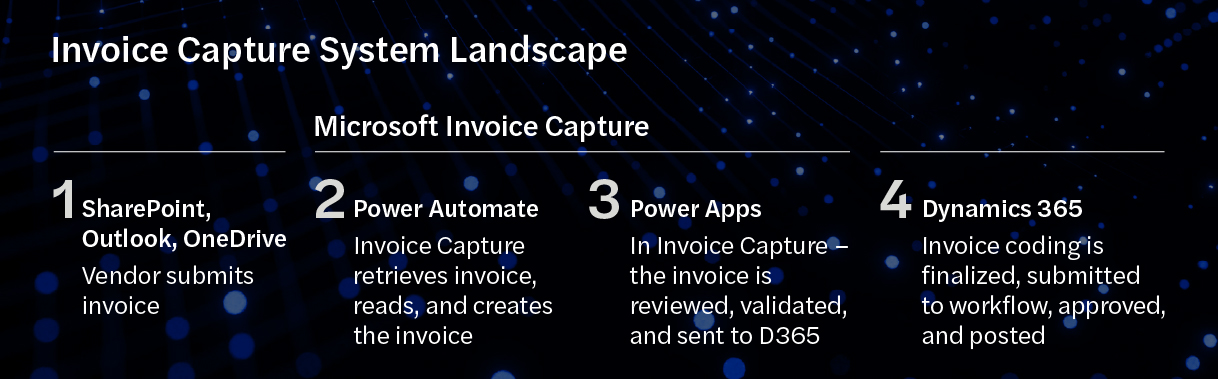 Click here to open image in a new tab
Invoice Capture Process
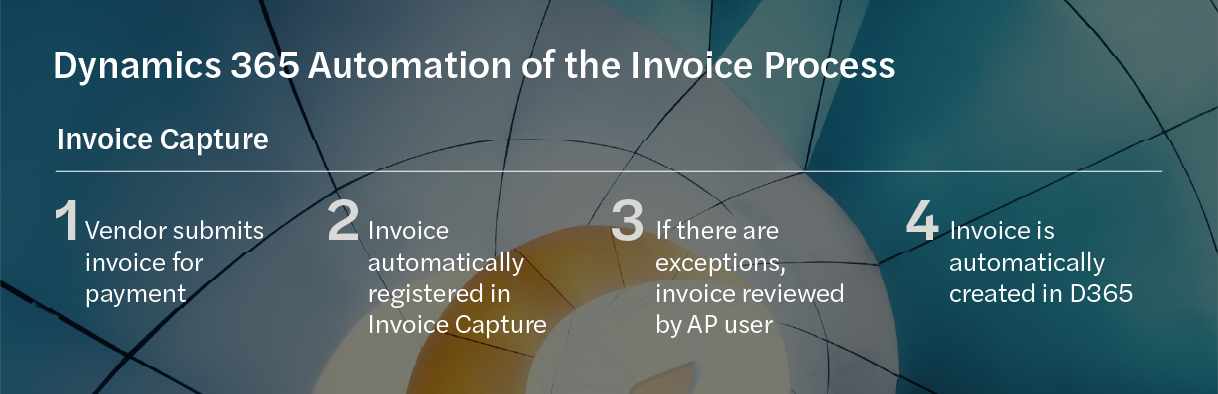
The following diagram illustrates the Invoice Capture process:
 Click here to open image in a new tab
1. Vendor Submits Invoice for Payment
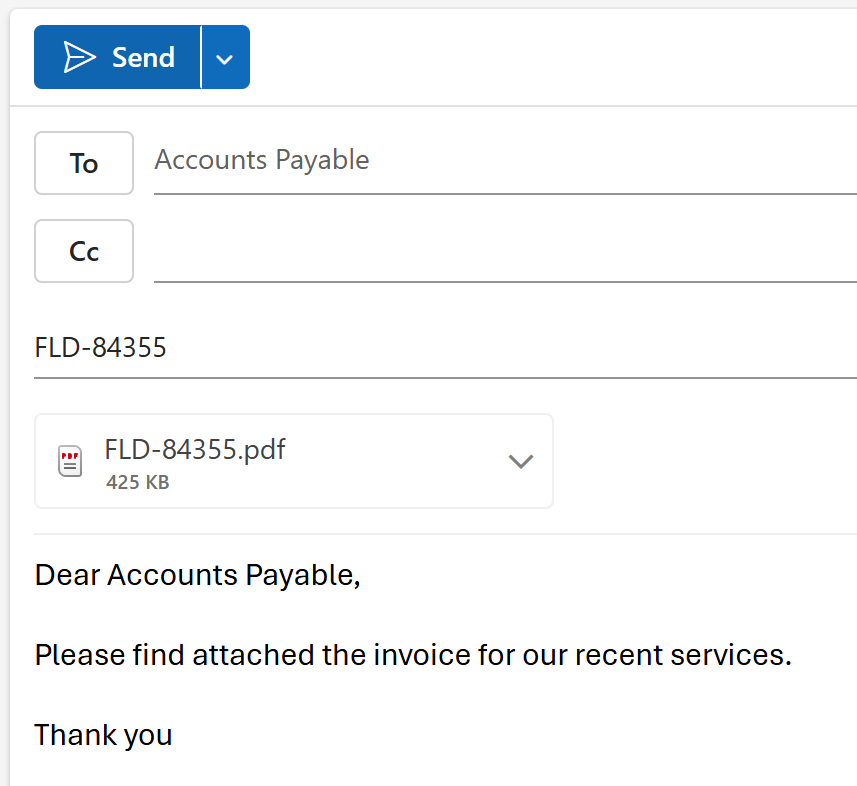
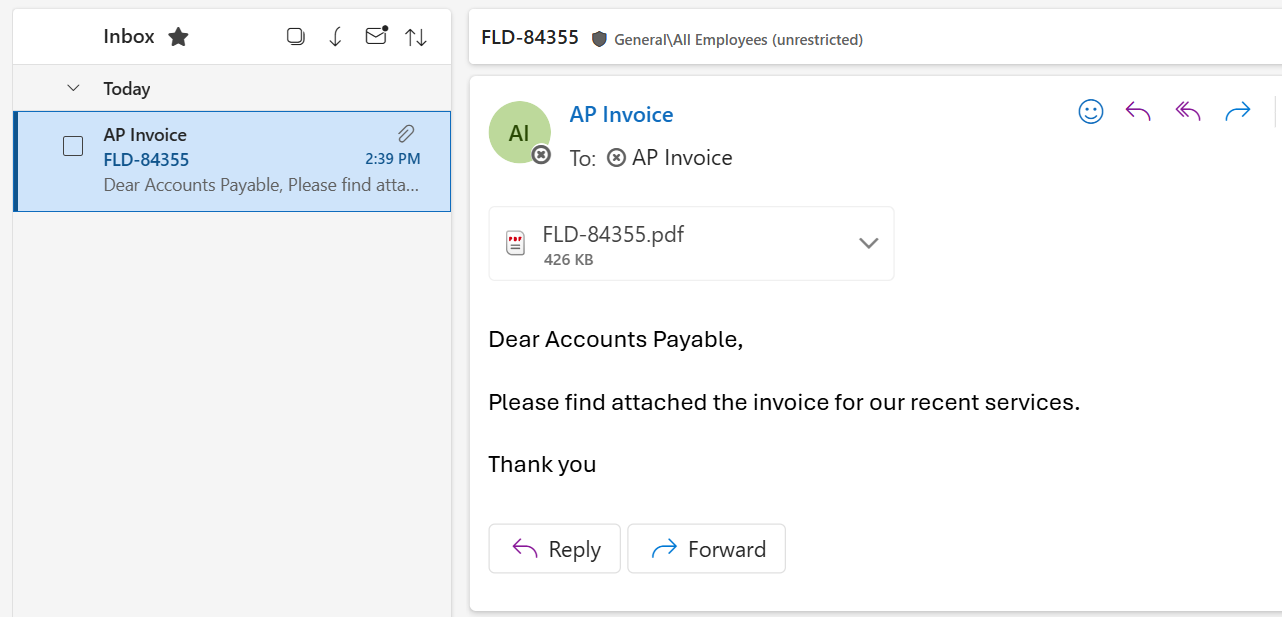
When a vendor submits an invoice for payment, it is received and processed through a designated channel, which may be an Outlook email inbox, OneDrive, or SharePoint. These channels can support file filters to align with an organization’s policies, such as accepting PDF-only file submissions. Once the invoice has arrived, Invoice Capture automatically retrieves and consumes the invoice file via a Flow that continuously monitors the channel.
 Click here to open image in a new tab
 Click here to open image in a new tab
2. Invoice Is Automatically Registered in Invoice Capture
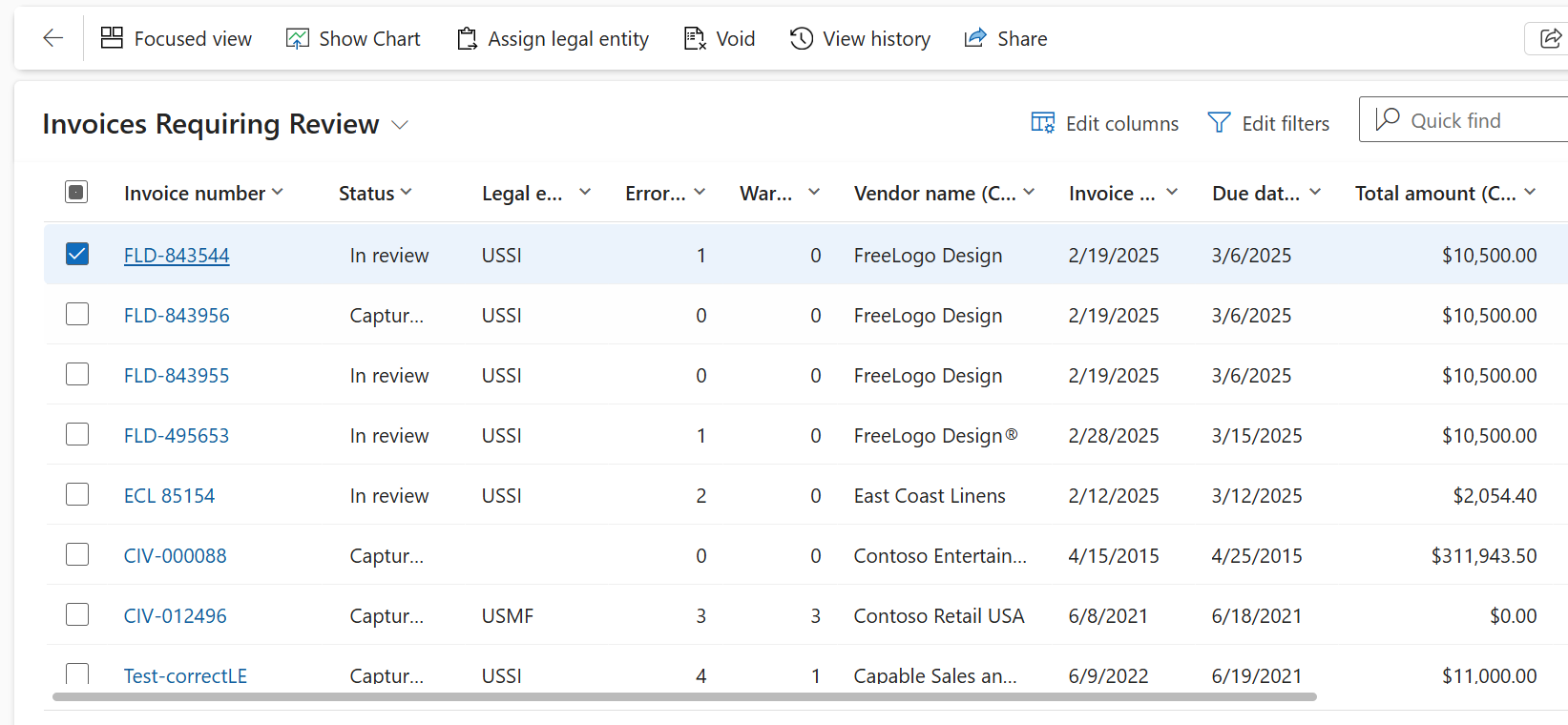
Once the invoice has been consumed by Invoice Capture, the invoice is scanned and registered in the solution, automatically updating the status of the invoice from “Received” to “Captured.” Based on rules that can be pre-defined, the system can determine which invoices require a manual review and which are touchless and can be automatically transferred directly to Dynamics 365 Finance without user intervention. The touchless rate of invoices processed is influenced by configurable confidence scores to determine the quality of the data recognized by the solution and if a warning or error should occur for a specific field and its recognized data. In addition, the types of invoices (PO Invoice, Header Only, or Cost Invoice) and required and visible fields by invoice type can be determined.
 Click here to open image in a new tab
3. If There Are Exceptions, The Invoice Is Reviewed by an AP User
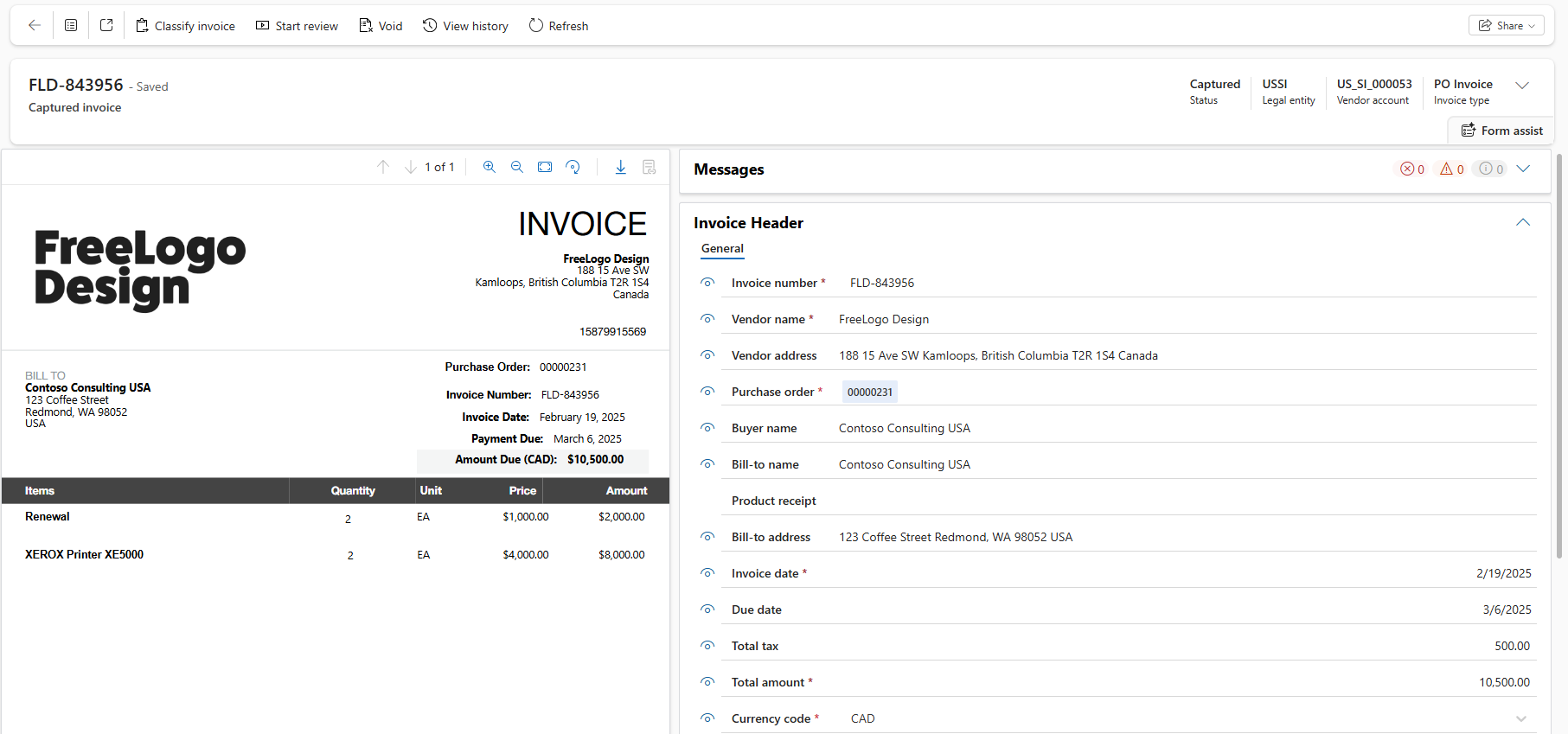
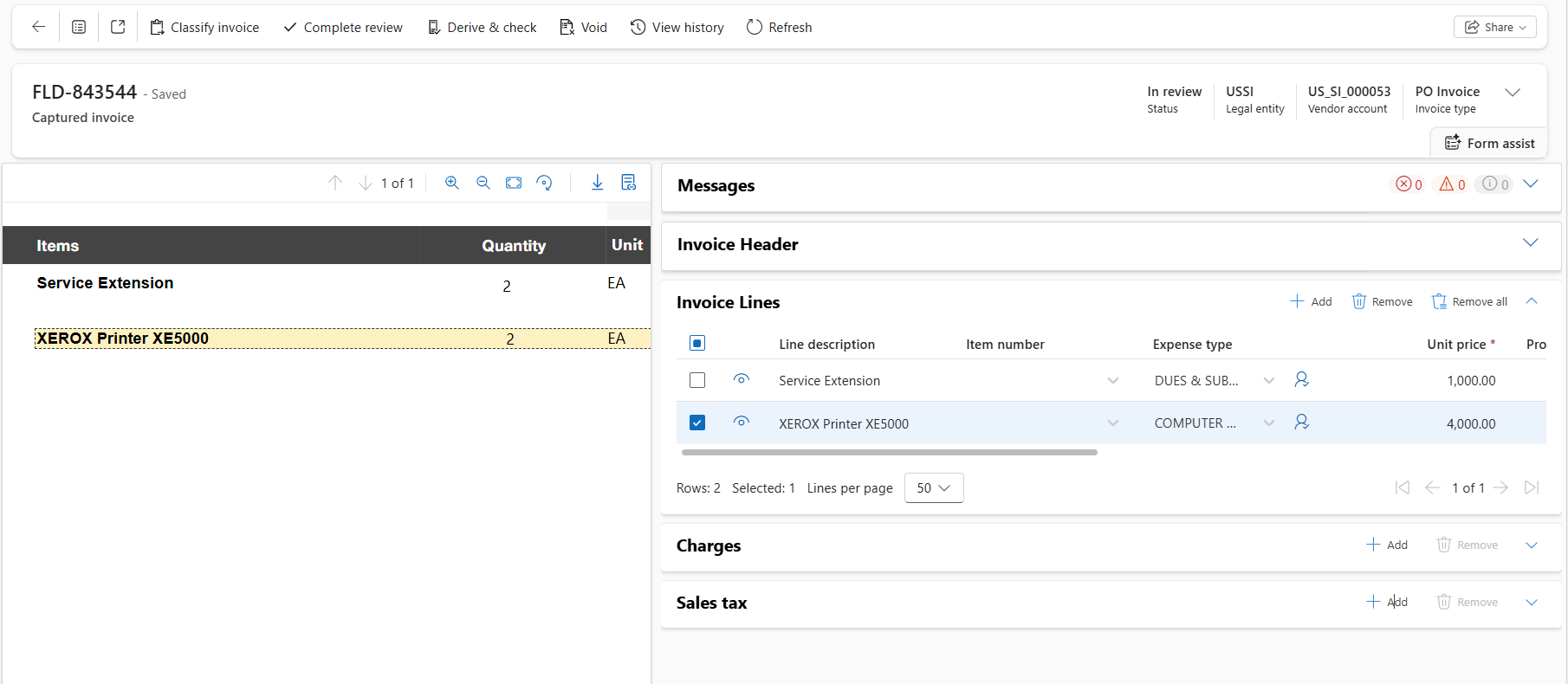
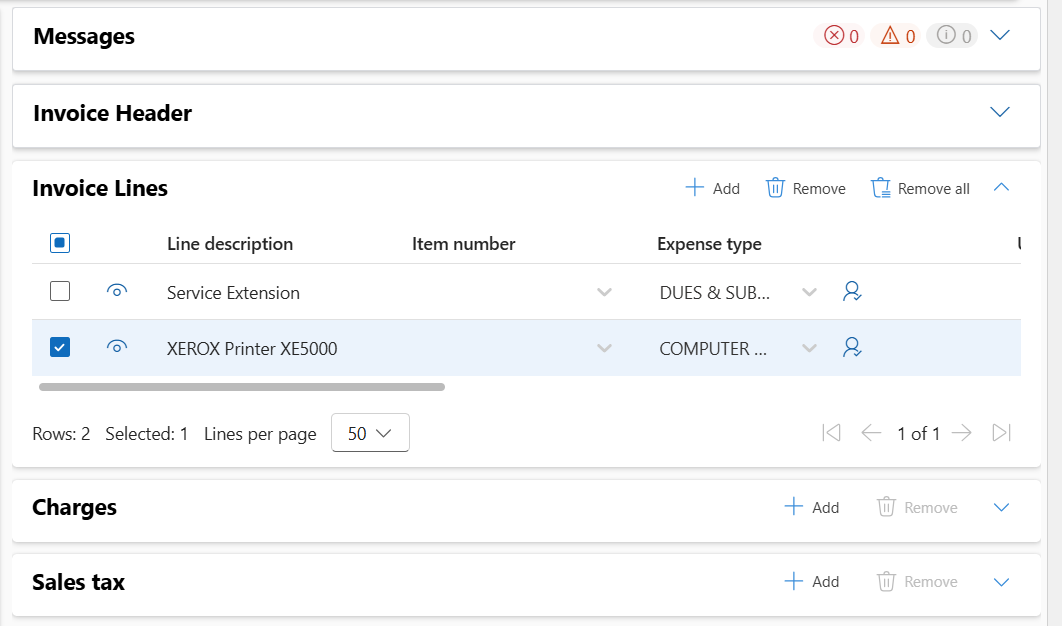
For invoices that require a manual review as either errors or warnings have been identified when the invoice data was recognized by the solution, the side-by-side viewer is utilized to efficiently view the original invoice document and the invoice form populated with the extracted data. Once the review of the invoice has started, errors and warnings can be reviewed and corrected by clicking the eyeball beside the file, which will automatically position and highlight the corresponding field value on the original document.
 Click here to open image in a new tab
 Click here to open image in a new tab
 Click here to open image in a new tab
Click here to open image in a new tab
4. The Invoice Is Automatically Registered in Dynamics 365 Finance
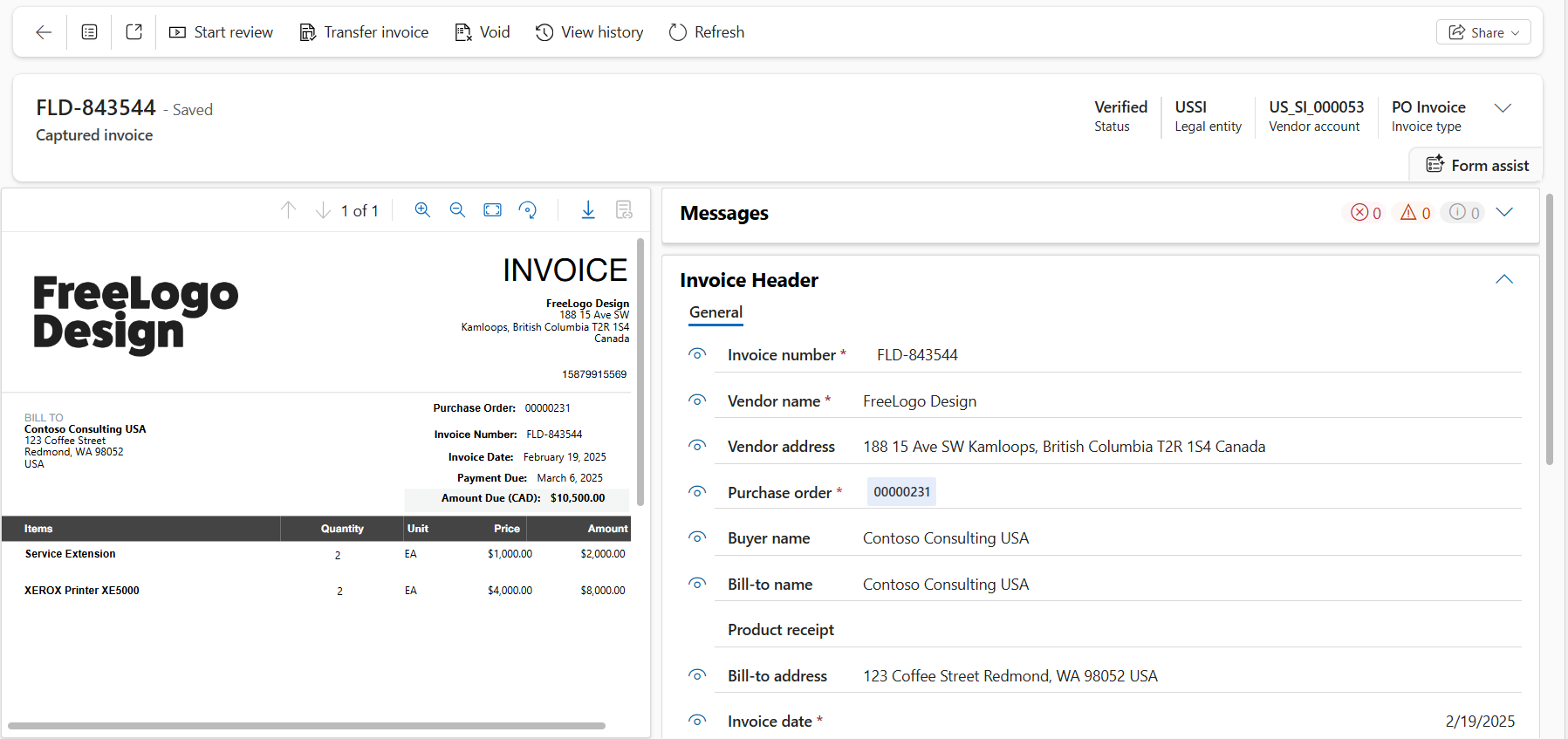
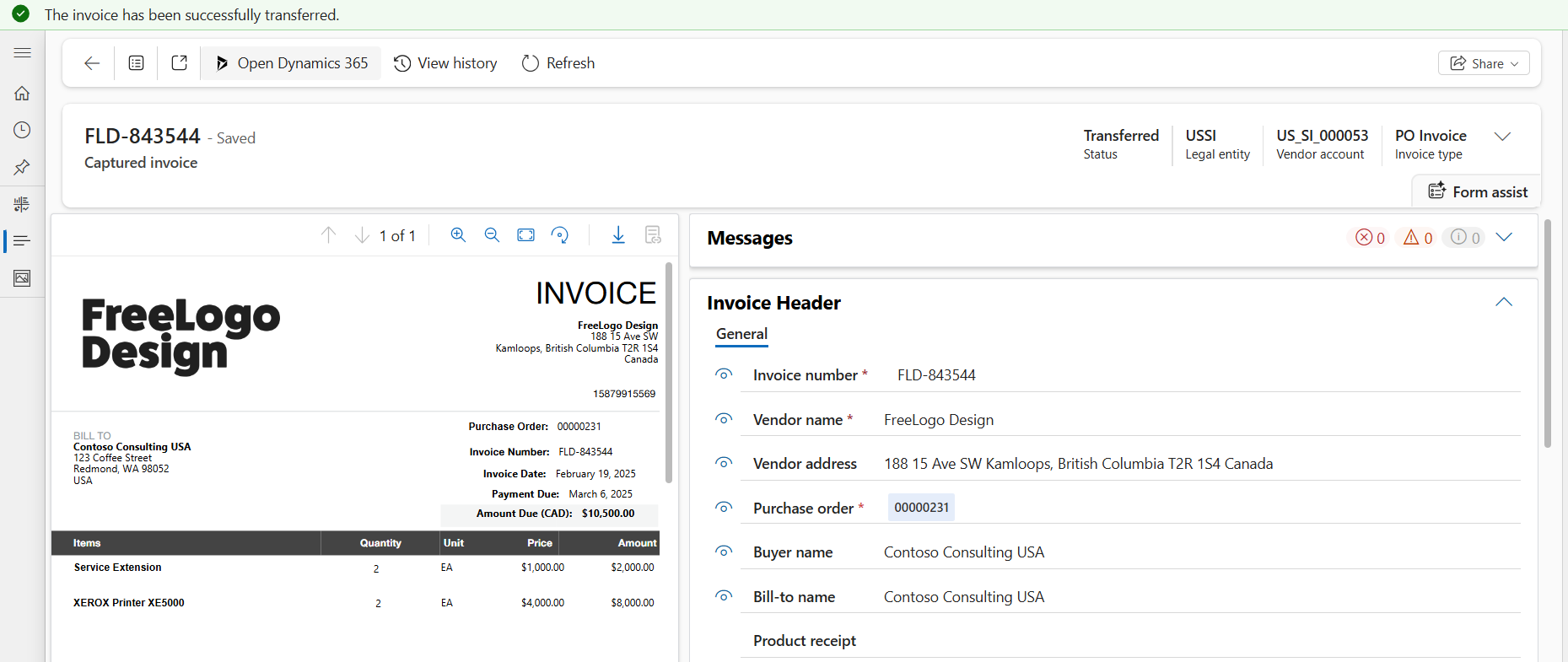
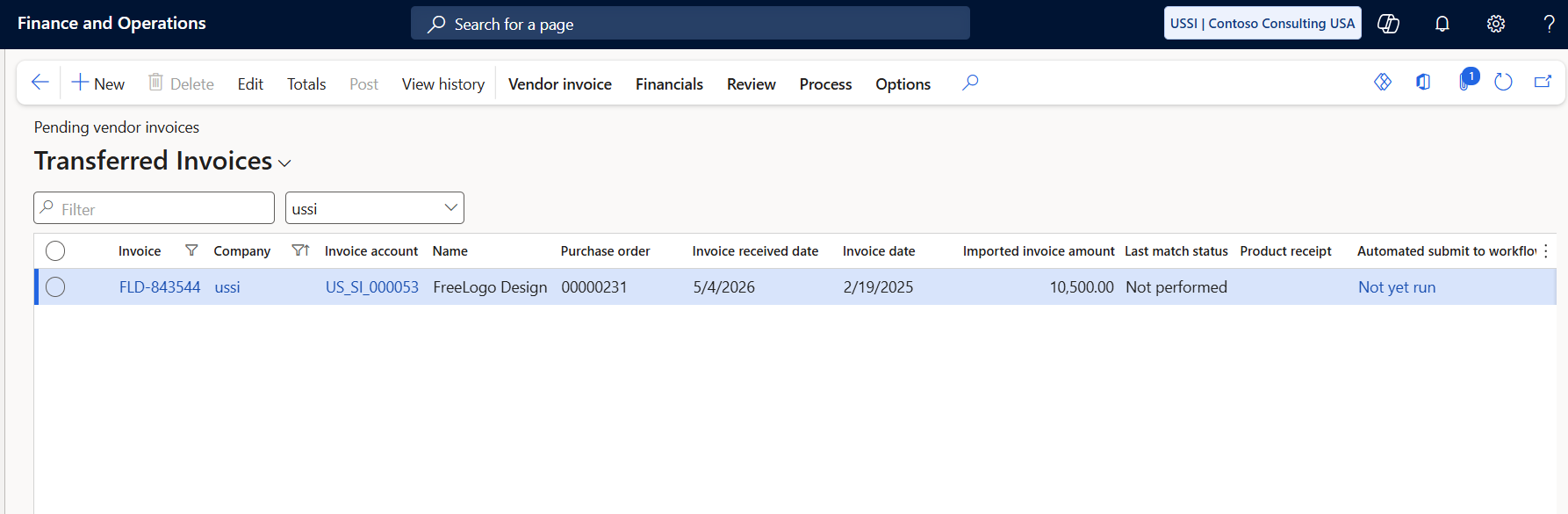
If the invoice was captured without errors or warnings, it is automatically transferred and registered in Dynamics 365 Finance as either a Pending Vendor Invoice or Invoice Journal based on the Invoice Classification. For invoices that require a manual review, once all errors and warnings have been resolved, the invoice review is marked as complete, and “Transfer Invoice” is selected, the invoice is automatically transferred and registered in Dynamics 365 Finance just like a touchless invoice.
 Click here to open image in a new tab
 Click here to open image in a new tab
 Click here to open image in a new tab
How Invoice Capture Helps Streamline Invoice Intake
Dynamics 365 Finance’s Invoice Capture is designed to support consistency and efficiency in your organization’s accounts payable workflows. The solution helps streamline the review and processes by using channels such as Outlook, OneDrive, or SharePoint. Invoice Capture also requires that the legal entity and vendor be identified prior to processing in Dynamics 365 Finance. The legal entity and vendor master data are automatically synced with Dynamics 365 Finance, supporting three invoice types: PO Invoice, Header-only Invoice, and Cost Invoice. Each invoice has its own validation logic and requires fields in the system, which enables Dynamics 365 to determine whether the invoice is sent to Pending Vendor Invoices or Invoice Journal.
The AI Builder capability in Dynamics 365 Finance allows the suite to recognize configuration groups that define invoice review requirements, required fields, and confidence scores of invoice data. In addition, mapping rules can be created for legal entities, vendors, items, and procurement categories to derive invoice information based on data provided by a vendor.
Our team is ready to assist you with your efforts to bring clarity and consistency to your invoice processing workflows with Dynamics 365 Finance. Contact us to learn more about how Invoice Capture and accounts payable in Dynamics 365 Finance can help streamline your processes.