

There is recent news from Microsoft about connecting to Business Central data. Microsoft announced the functionality to use Microsoft-owned pages as a data source will be deprecated in 2027 Wave 1. You can read more about this announcement at the Microsoft Learn website. Search for “Deprecated features in the client, server, database.”
In Business Central web services, you can use Pages as data sources. This image shows an example of some of them.
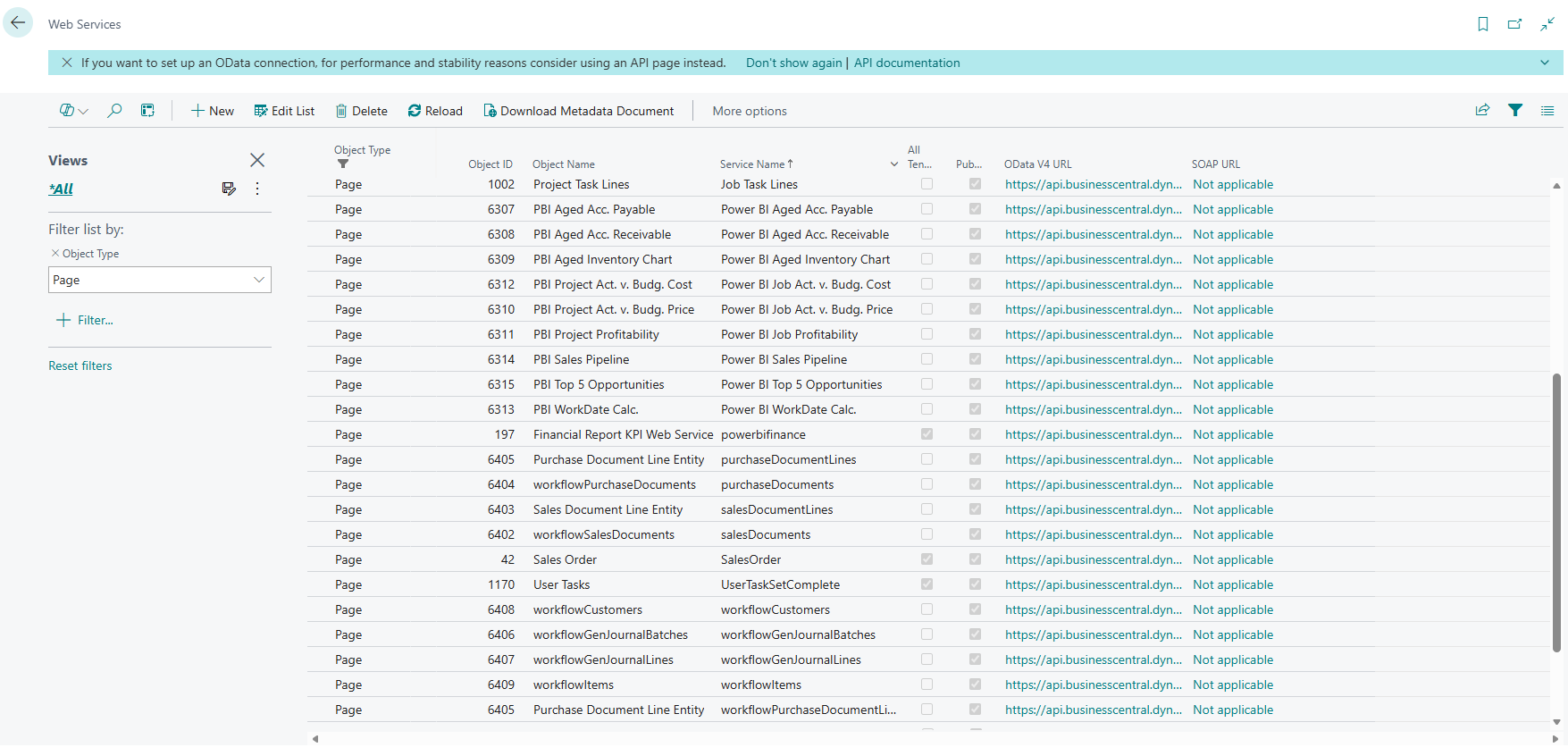 Open Figure 1 – Pages in Web Services in a New Tab
How do you know if an object is owned by Microsoft? There are several ways.
- Check the object’s app publisher – This can be done using Page Inspector.
- Use AL Explorer – This is for developers.
- Use the Object ID Range – Microsoft-owned pages are numbered from 1-49999.
These pages have been used in multiple reporting tools, like Power BI and Solver xFP&A Suite. Pages were easy to use because they existed and because a non-developer could use the Create Data Set wizard to create new pages. While occasionally an issue could occur, they worked in many cases.
This article will outline the use of pages in certain reporting applications. Read through the sections to know what options you have, as now is a good time to begin planning.
Solver xFP&A Suite
If you were to connect to new ODATA objects in Solver, you would select the ODATA option as shown in the Figure 2. This is known as the ODATA option or v1.1.
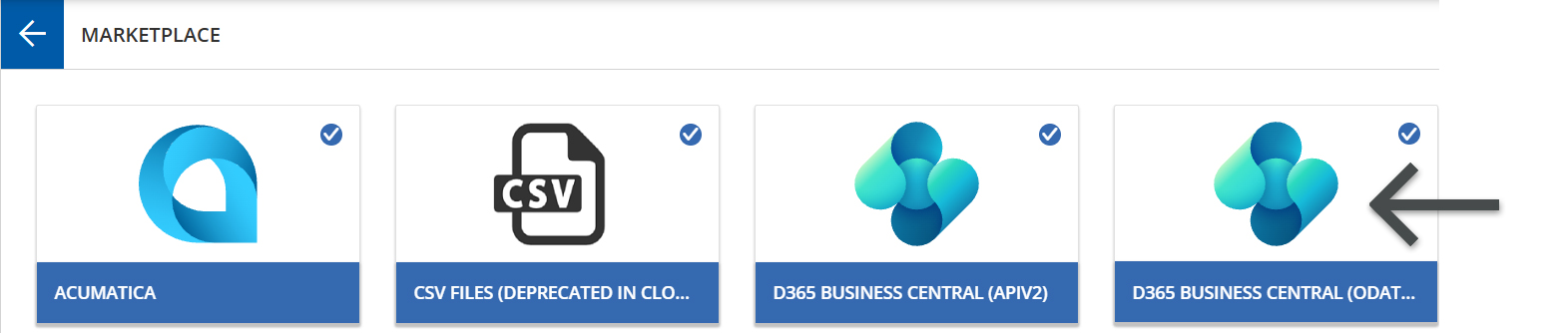 Open Figure 2 – Solver Connectors in a New Tab
Once the ODATA option has been selected, you can browse the objects.
This announcement means that any connections to page objects need to be replaced. To use the examples, if you had picked Job Task Lines, you would need to replace them with Queries. If no Query is available, you will need to create one. How you create one or other options will be discussed below.
In Solver, the common options are to use APIV2, custom pages, or queries. More information on how to distinguish between custom pages and Microsoft-owned pages follows.
Power BI
To connect to Business Central objects through Power BI, use the following steps.
Select Get Data and search for Business Central.
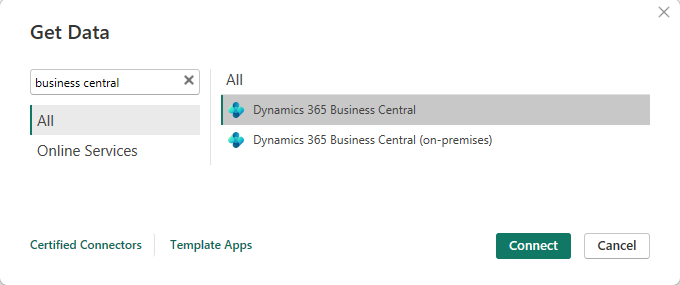 Open Figure 3 – Power BI Get Data in a New Tab
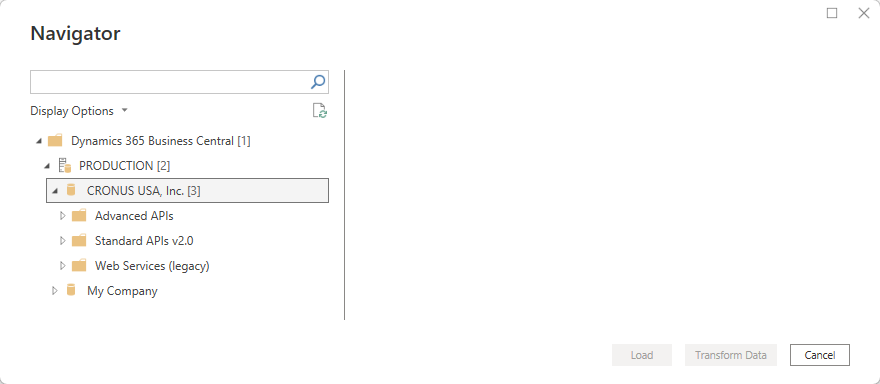 Open Figure 4 – Power BI Navigator in a New Tab
In the list of Web Services (legacy) objects, you will see (for now) pages and queries.
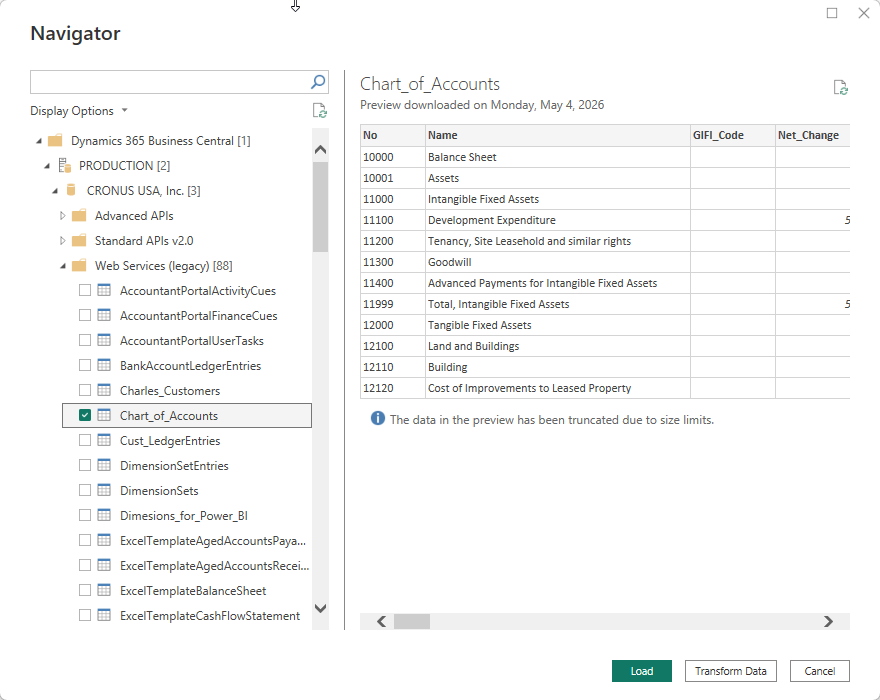 Open Figure 5 Power BI Web Services Objects in a New Tab
Unfortunately, there is no way to see if an object is a page. Therefore, you will need to look at the objects and switch them for queries or custom pages.
Replacements for Pages
There are several options for replacing pages.
- Queries
- Standard API Pages
- Custom API Pages
- Popdock-Created Endpoints
Creating custom API pages requires development. You can read about it in the API development overview available on the Microsoft Learn platform. Forvis Mazars has resources that can assist with developing these custom APIs.
Popdock, from eOne Solutions, is a platform that offers several features:
- Reporting
- Data migration
- Virtual integration
- Live Excel and BI connections
Popdock enables users to create endpoints. These endpoints can be accessed in applications, like Solver and Power BI.
How Forvis Mazars Can Help
Microsoft announced that the use of pages as data sources will be deprecated in 2027 Wave 1. This deprecation means that your report developers and administrators need to find alternative data sources. There are multiple options for alternative data sources.
Our team at Forvis Mazars is ready to assist you as you evaluate Business Central and identify the right approach for Solver and Power BI. Contact us to learn more about how we can support your reporting and planning needs.